
Skip to content

Platform

Everything the platform does — in one place.

A due-diligence reference for the people who evaluate before they recommend. Every item here ships today; roadmap is labeled as roadmap.

Core capabilities

The whole toolkit, not a teaser.

Courses & learning paths

Structured sections and lessons, drip scheduling, prerequisites, sequential unlock.

Assessments

Timed quizzes with an explicit start gate, autosave, attempt limits, and answer review.

Verified certificates

Issued on completion with a unique ID and a public verification page.

Analytics

30-day enrollment and revenue trends, reports, and per-course gradebooks.

Payments built for the PH

GCash, bank transfer with proof review, Stripe cards, and coupons — or disable commerce entirely.

Gamification

Points, streaks, and badges that reward showing up and finishing.

Live classes & attendance

Schedule live sessions and track who actually joined.

Community & comms

Announcements, per-lesson Q&A with voting, and instructor feedback loops.

For students

Learning that feels like momentum.

Every screen answers one question: what’s next? Progress is visible, resuming is instant, and finishing earns something real.
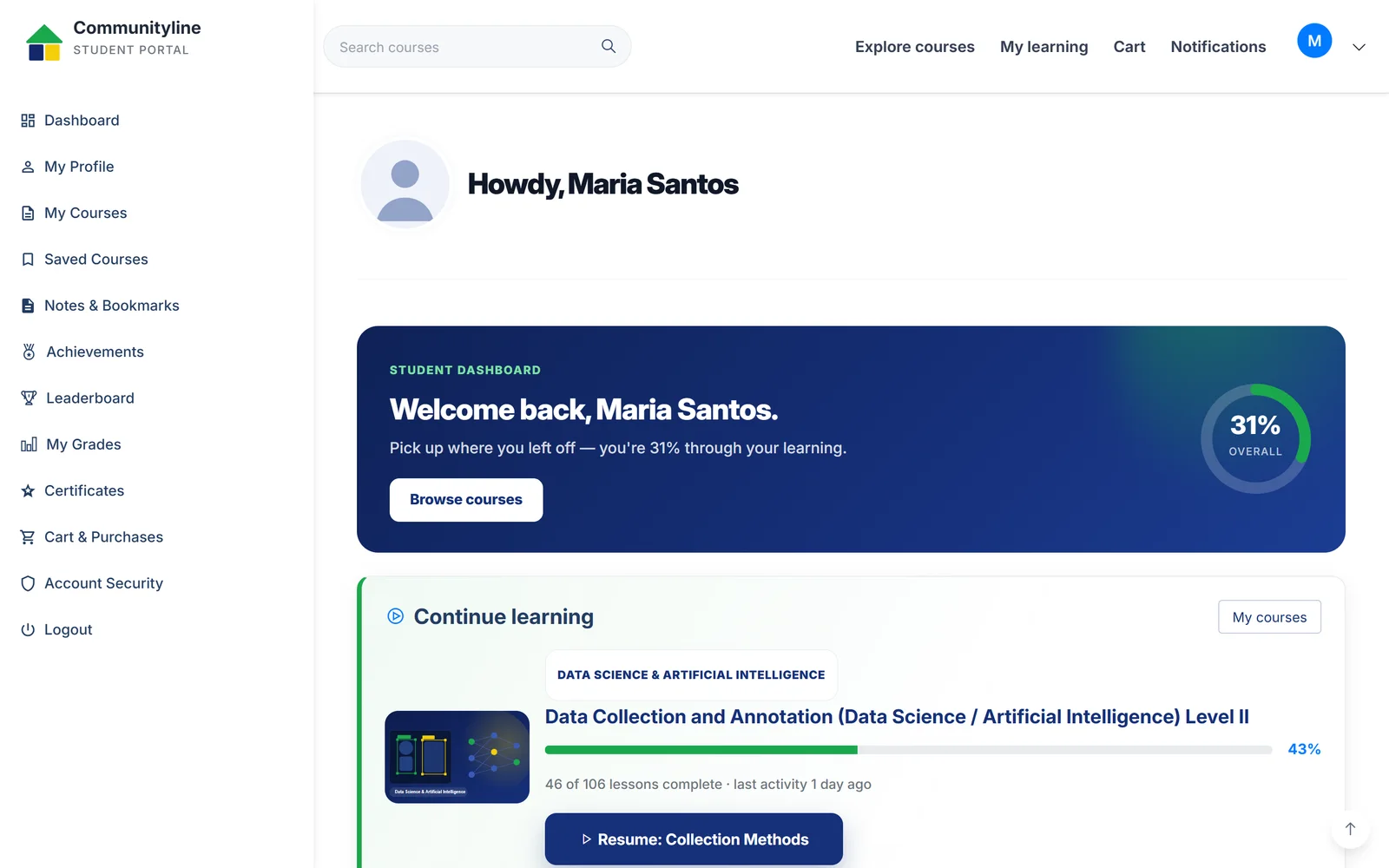
  • A lesson player that resumes exactly where they stopped
  • Timed quizzes with a fair start gate and autosave — an accidental refresh never loses answers
  • Notes, bookmarks, and per-lesson Q&A with classmates and instructors
  • Points, streaks, and badges tied to real completion
  • A certificates wall with shareable public verification
Communityline Portal student dashboard showing overall progress, a continue-learning card at 43%, and a resume button
Student dashboard — actual product UI

For instructors

From outline to published course in an afternoon.

The authoring workspace treats teaching staff like professionals: everything in one place, nothing behind a support ticket.
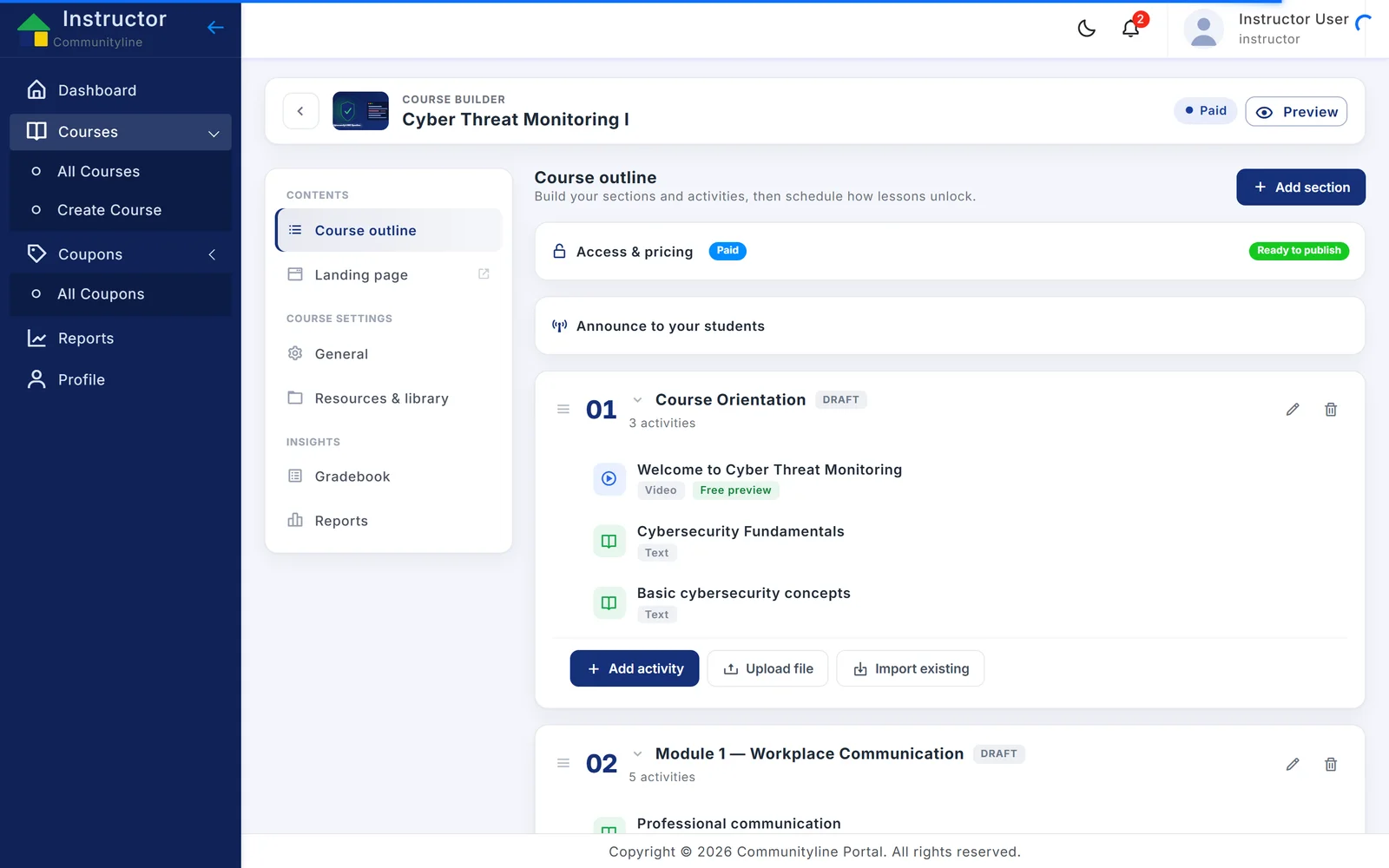
  • A guided wizard that scaffolds the whole course structure
  • Drag-and-drop builder for sections, lessons, quizzes, and assignments
  • AI generation for course outlines and quiz questions — review, edit, publish
  • Rubric-based grading with a gradebook and CSV export
  • Coupons and revenue tracking per course
Communityline Portal course builder showing a course outline with sections, activities, and a ready-to-publish state
Course builder — actual product UI

For administrators

Run the whole academy from one screen.

Enrollment, revenue, people, and content — visible at a glance, governable in a click, and logged for audit.
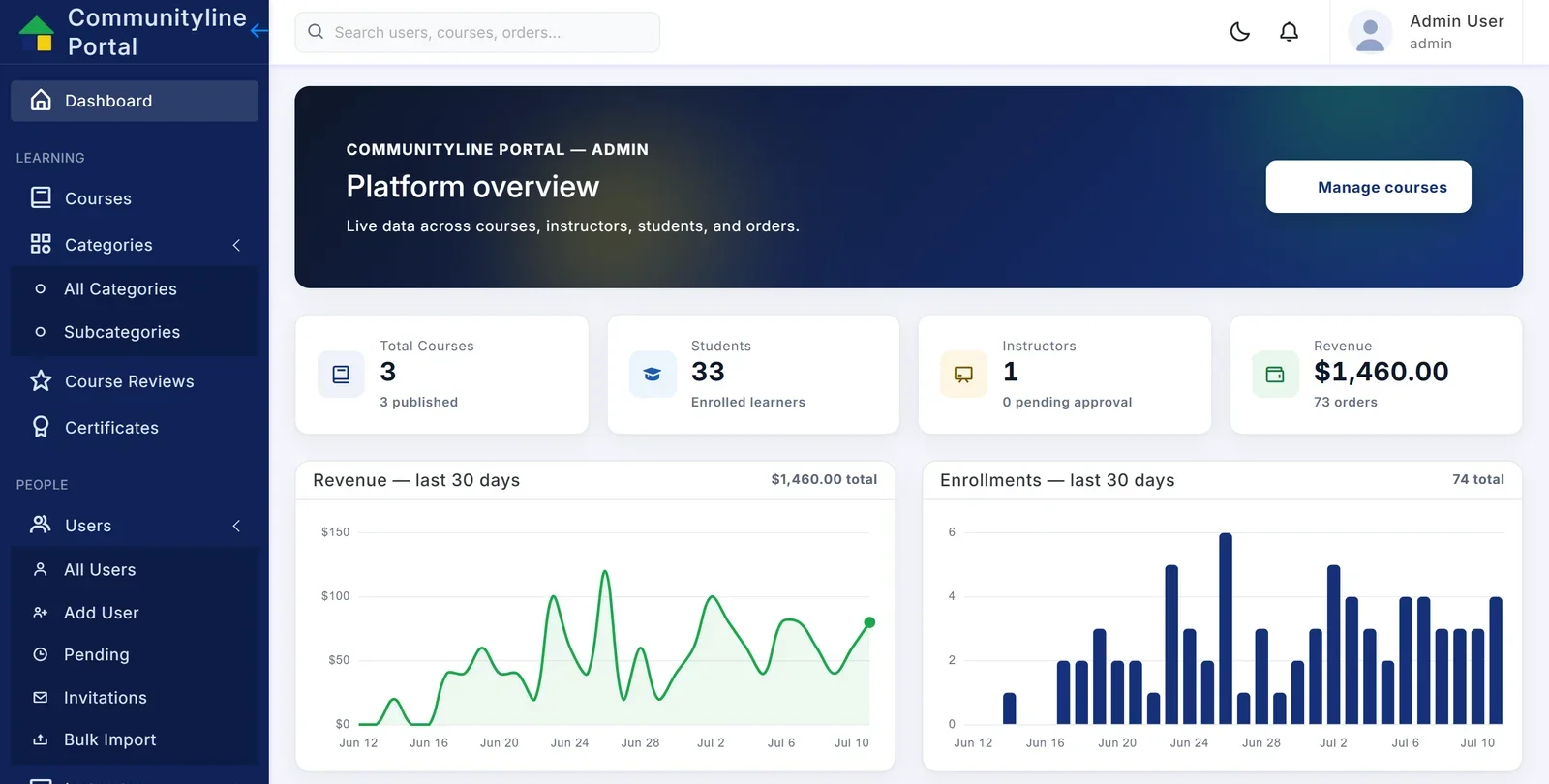
  • Dashboards with 30-day enrollment and revenue trends
  • Global search across users, courses, and orders
  • Full user lifecycle: approvals, invitations, bulk import, suspension
  • Four registration modes — public, approval, invitation-only, or admin-only
  • Review moderation, audit log, and a no-code appearance customizer
Communityline Portal admin dashboard with revenue and enrollment charts over the last 30 days and platform statistics
Admin dashboard — actual product UI

In depth

The details evaluators ask about.

Analytics & reporting

Decisions, not just dashboards.

Leadership sees the trend lines; instructors see the gradebook; registrars export the CSV. Same data, right altitude for each.

  • Enrollment and revenue trends, updated as they happen
  • Per-course gradebooks with quiz and assignment breakdowns
  • One-click CSV export for reporting up the chain

Certificates

Credentials anyone can verify in seconds.

Every completion issues a certificate with a unique ID and a public verification page — employers and agencies can check authenticity without calling your office.

  • Auto-issued on course completion, printable and shareable
  • Public verification by certificate ID
  • Revocation control stays with your administrators

Assessments

Fair, timed, and tamper-resistant.

Timers anchor on the server and only start when the student clicks “Start attempt.” Autosave means a dropped connection is an inconvenience, not a failed exam.

  • Explicit start gate — the clock never runs while students read instructions
  • Autosaved answers, attempt limits, shuffled questions and options
  • Auto-graded objective items; essay review workflow for instructors

Live classes & attendance

Live sessions, actually counted.

Schedule live classes inside the course flow and keep a record of who joined — attendance becomes data, not a clipboard.

  • Live lessons scheduled alongside recorded content
  • Join tracking per student, per session
  • Attendance feeds the same reporting as everything else

Assignments

Rubrics, deadlines, and honest feedback.

File and written submissions with the policies real programs need — late penalties, resubmission rules, and graded rubrics students can actually learn from.

  • File + written submissions with type and size controls
  • Late penalties and resubmission windows you configure
  • Rubric scoring, private instructor notes, and similarity annotations

AI authoring

Built in — with keys held server-side.

Course authoring gets faster without handing anyone your AI keys or your learners’ data. Generate, then review and publish on your terms.

Today
  • Generate a full course outline from a topic
  • Generate quiz questions for any lesson, then review and edit before publishing
  • Powered by enterprise-grade AI with keys held server-side — learners never touch them
Roadmap
  • AI grading assistance for essays and assignments
  • Learner-risk insights for early intervention
  • Filipino-language content assistance

Yours on day one

It becomes yours on day one.

The appearance customizer changes the logo, brand colors, fonts, and dark mode from a settings screen — no developer required. Payments, sign-in, and mail run on your accounts.

  • GCash & bank transfer (with admin proof review)
  • Stripe card payments
  • Google sign-in
  • Your SMTP for email
  • YouTube & embedded video

See the whole platform on a live instance.

A working walkthrough beats any feature list — we’ll drive it with your use case in mind.